TESLA MODEL S 2018 Workshop Manual
Manufacturer: TESLA, Model Year: 2018, Model line: MODEL S, Model: TESLA MODEL S 2018Pages: 195, PDF Size: 5.51 MB
Page 51 of 195
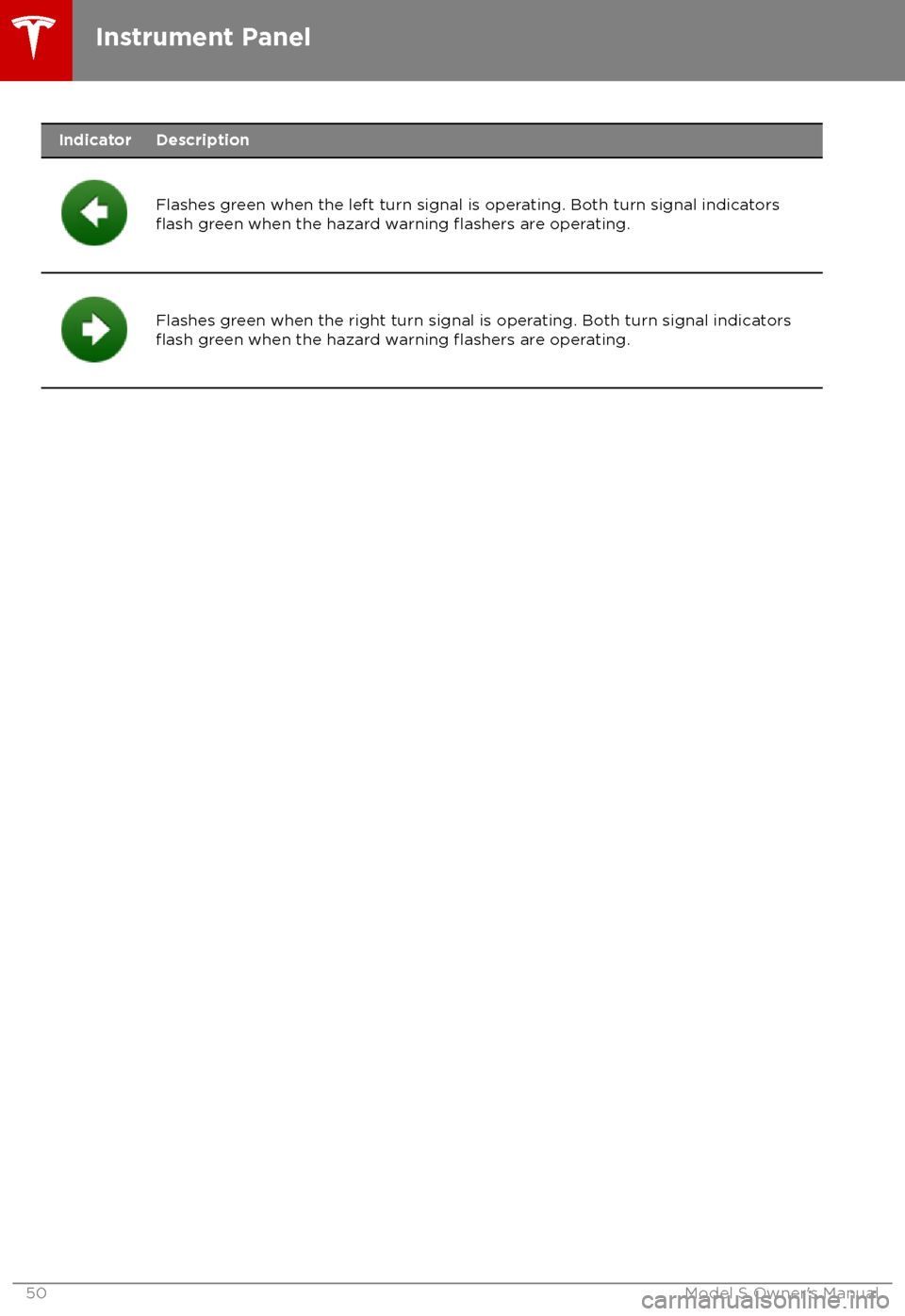
IndicatorDescription
Flashes green when the left turn signal is operating. Both turn signal indicatorsflash green when the hazard warning flashers are operating.Flashes green when the right turn signal is operating. Both turn signal indicatorsflash green when the hazard warning flashers are operating.Instrument Panel
50Model S Owner
Page 52 of 195
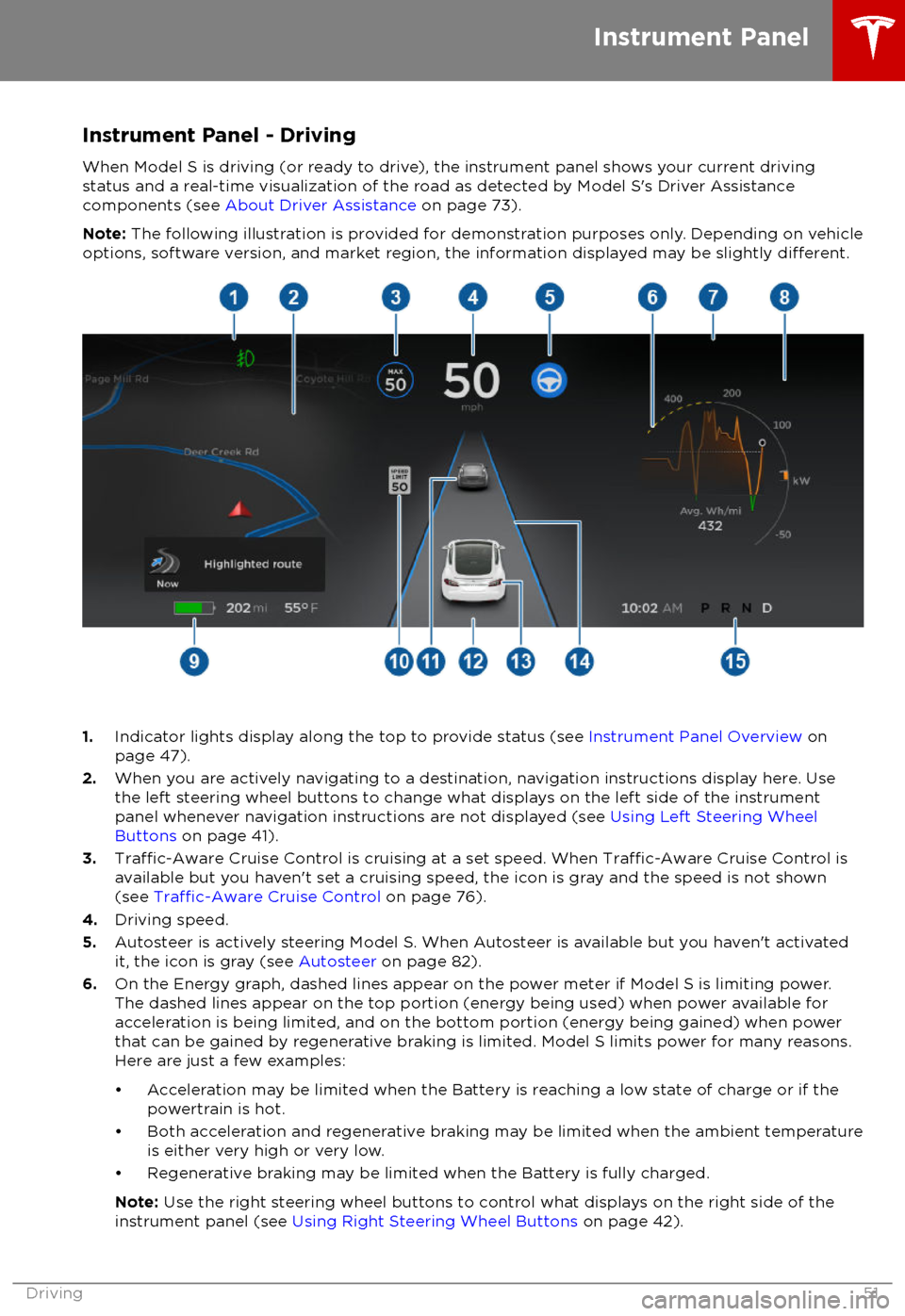
Instrument Panel - Driving
When Model S is driving (or ready to drive), the instrument panel shows your current driving
status and a real-time visualization of the road as detected by Model S
Page 53 of 195

7.Pay attention to important alert messages that display here. If any alerts are in effect, you can
view information about them by touching the alert icon (exclamation mark) on the touchscreen
Page 54 of 195
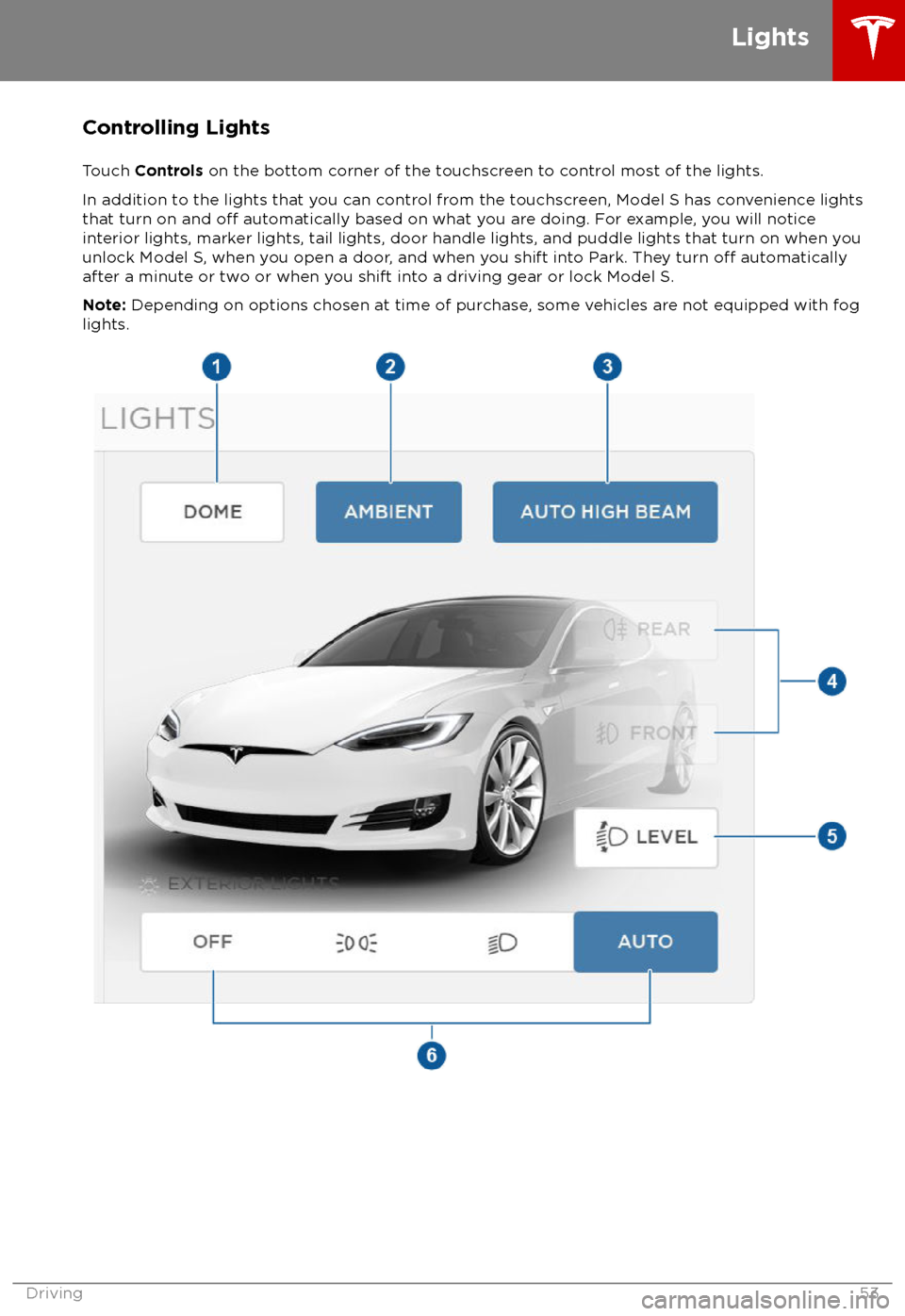
Controlling Lights
Touch Controls on the bottom corner of the touchscreen to control most of the lights.
In addition to the lights that you can control from the touchscreen, Model S has convenience lights that turn on and
off automatically based on what you are doing. For example, you will notice
interior lights, marker lights, tail lights, door handle lights, and puddle lights that turn on when you
unlock Model S, when you open a door, and when you shift into Park. They turn
off automatically
after a minute or two or when you shift into a driving gear or lock Model S.
Note: Depending on options chosen at time of purchase, some vehicles are not equipped with fog
lights.
Lights
Driving53
Page 55 of 195
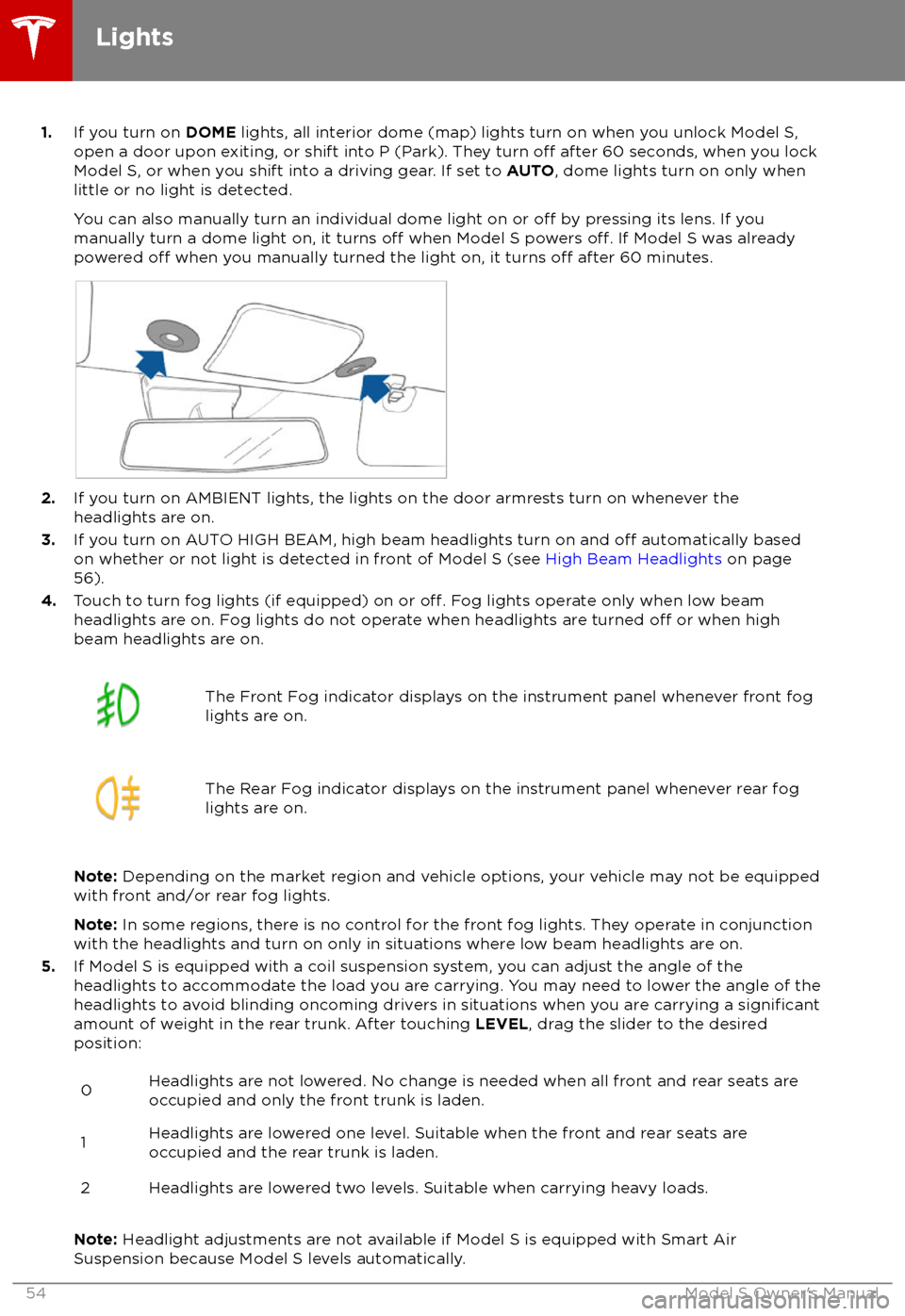
1.If you turn on DOME lights, all interior dome (map) lights turn on when you unlock Model S,
open a door upon exiting, or shift into P (Park). They turn off after 60 seconds, when you lock
Model S, or when you shift into a driving gear. If set to AUTO, dome lights turn on only when
little or no light is detected.
You can also manually turn an individual dome light on or
off by pressing its lens. If you
manually turn a dome light on, it turns off when Model S powers off. If Model S was already
powered off when you manually turned the light on, it turns off after 60 minutes.
2. If you turn on AMBIENT lights, the lights on the door armrests turn on whenever the
headlights are on.
3. If you turn on AUTO HIGH BEAM, high beam headlights turn on and
off automatically based
on whether or not light is detected in front of Model S (see High Beam Headlights on page
56).
4. Touch to turn fog lights (if equipped) on or
off. Fog lights operate only when low beam
headlights are on. Fog lights do not operate when headlights are turned off or when high
beam headlights are on.
The Front Fog indicator displays on the instrument panel whenever front fog
lights are on.The Rear Fog indicator displays on the instrument panel whenever rear fog
lights are on.
Note: Depending on the market region and vehicle options, your vehicle may not be equipped
with front and/or rear fog lights.
Note: In some regions, there is no control for the front fog lights. They operate in conjunction
with the headlights and turn on only in situations where low beam headlights are on.
5. If Model S is equipped with a coil suspension system, you can adjust the angle of the
headlights to accommodate the load you are carrying. You may need to lower the angle of theheadlights to avoid blinding oncoming drivers in situations when you are carrying a
significantamount of weight in the rear trunk. After touching LEVEL, drag the slider to the desired
position:
0Headlights are not lowered. No change is needed when all front and rear seats are
occupied and only the front trunk is laden.1Headlights are lowered one level. Suitable when the front and rear seats are occupied and the rear trunk is laden.2Headlights are lowered two levels. Suitable when carrying heavy loads.
Note: Headlight adjustments are not available if Model S is equipped with Smart Air
Suspension because Model S levels automatically.
Lights
54Model S Owner
Page 56 of 195

6.Exterior lights (headlights, tail lights, side marker lights, parking lights, and license plate
lights) are set to AUTO each time you start Model S.
AUTOExterior lights automatically turn on when driving in low lighting
conditions. If you change to a different setting, lights always revert to this
AUTO setting on your next drive.
Touch one of these options to temporarily change the exterior light setting:
OFFExterior lights turn off until you manually turn them back on or until the
next time you drive Model S. If daytime running lights are required in your
region, the exterior lights used for this purpose do not turn
off.Only the side marker lights, parking lights, tail lights and license plate
lights turn on.Exterior lights turn on.
Note: Model S has a series of lights along the lower rim of the headlights, also referred to as
"signature" lights. These lights automatically turn on whenever Model S is powered on and a driving gear is engaged.
Warning: Always ensure that your headlamps are switched to AUTO or ON, as
appropriate, during all low visibility conditions. Failure to do so may result in a collision.
Lights
Driving55
Page 57 of 195

High Beam HeadlightsPush the left-hand steering column lever away
from you. To cancel, pull the lever toward you.
The high beam headlights can automatically
switch to low beam when there is light
detected in front of Model S (for example,
from an oncoming vehicle). To turn this
feature on, touch Controls > Auto High Beam .
Note: Your chosen setting is retained until you
manually change it. It can also be saved in
your driver
profile.
In situations where high beams are turned offbecause AUTO HIGH BEAM is turned on and
light is detected in front of Model S, you can temporarily turn on high beams by pulling thelever all the way toward you.
The following indicator lights are visible on the
instrument panel when high beams are turned
on:
High beam headlights are on.
Illuminates when high beams are on but the Auto High Beam setting is
turned
off or if the Auto High Beam
setting is turned on but is
termporarily unavaible.
High beams are currently turned on,
and Auto High Beam is ready to turn
off the high beams if light is
detected in front of Model S.
High beams are temporarily turnedoff because Auto High Beam is on
and is detecting light in front of
Model S. When light is no longer
detected, the high beams will
automatically turn back on.
To flash the headlight high beams, pull the
lever fully toward you and release.
Warning: Auto High Beam is an aid only
and is subject to limitations. It is the
driver
Page 58 of 195

The turn signals stop operating when canceledby the steering wheel, or when you return the
lever to the central position.
The corresponding turn signal
indicator lights up on the instrument
panel when a turn signal is
operating. You also hear a clicking
sound.Warning: If you have purchased the
optional Enhanced Autopilot or Full Self-
Driving Capability packages and
Traffic-
Aware Cruise Control is active, engaging
a turn signal can cause Model S to accelerate when using
Traffic-AwareCruise Control in specific situations (see
Overtake Acceleration on page 79).
Warning: If you have purchased the
optional Enhanced Autopilot or Full Self-
Driving Capability packages and
Autosteer is active, engaging a turn signal
may cause Model S to change lanes (see
Auto Lane Change on page 85).
Lane Change Flash
To indicate a lane change, quickly press the
lever up or down against the spring pressure,
then release. The corresponding turn signal
flashes three times.
Hazard Warning Flashers
To turn on the hazard warning
flashers, press
the button located on the side of the
touchscreen closest to the steering wheel. All
turn signals
flash. Press again to turn off.
Note: Hazard warning flashers operate even
without a Model S key nearby.
Lights
Driving57
Page 59 of 195
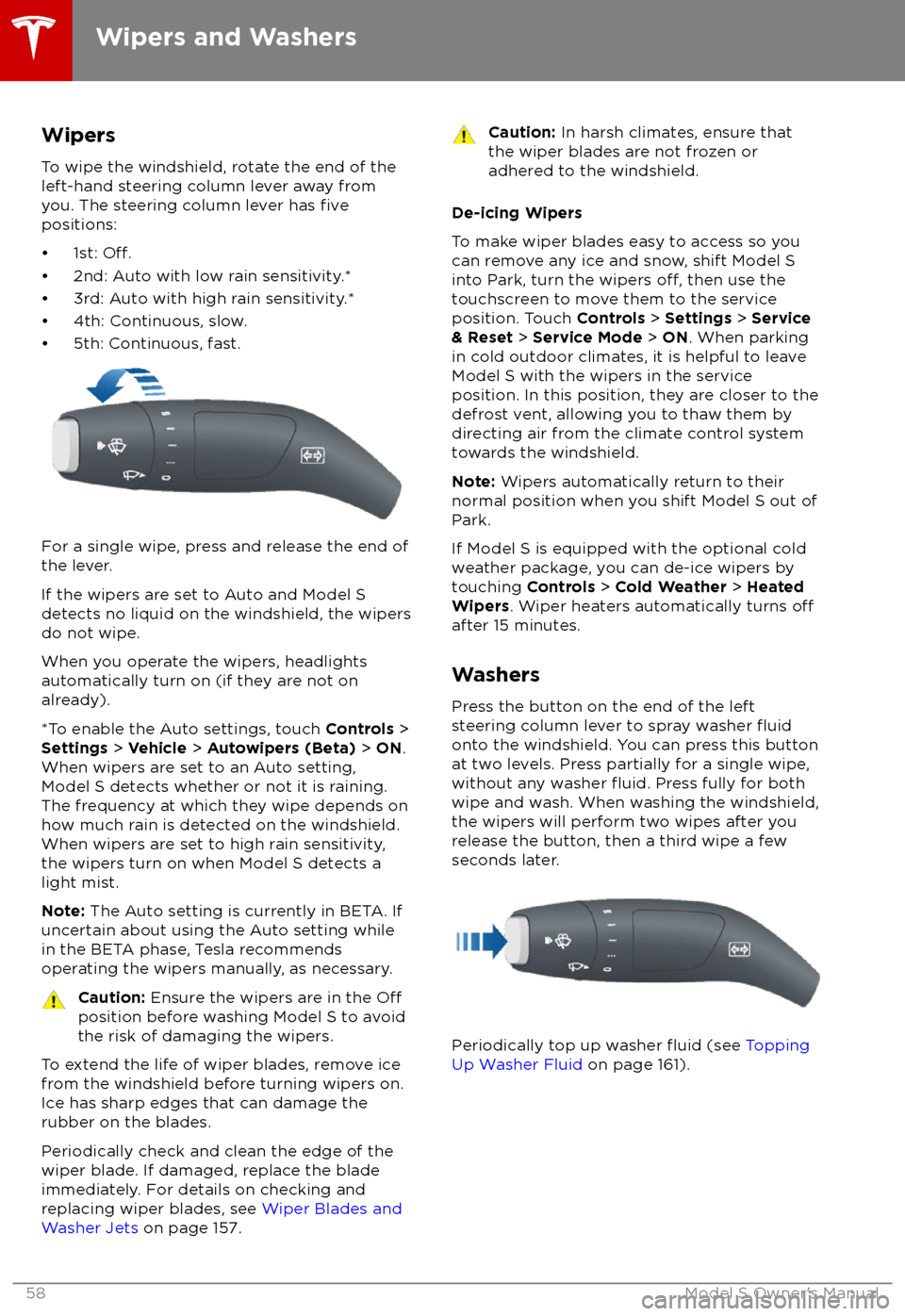
WipersTo wipe the windshield, rotate the end of the
left-hand steering column lever away from
you. The steering column lever has
fivepositions:
Page 60 of 195

De-icing Washer Nozzles
If Model S is equipped with the optional cold
weather package, washer nozzles have de-
icers that turn on whenever the ambient
temperature nears freezing, or when you turn
on the heated wipers ( Controls > Cold
Weather > Heated Wipers ). The washer de-
icers turn
off when the heated wipers turn off(after 15 minutes), provided the temperature is
warm enough to prevent freezing.
Wipers and Washers
Driving59